Import a book
BookReader reads EPUB and PDF without DRM. There is no account and no book server: the file stays in your browser's storage, on this device. If you want it on another device, you sync later (or upload it again).
Before you start
- An EPUB or a PDF you can open without Amazon's or Adobe's app. If your book only opens in Kindle, it has DRM and BookReader cannot read it. Where to find books that do open: Get books without DRM.
- A scanned PDF (a photo of each page) displays fine, but it has no text: the agent cannot search inside it or quote passages. Fine for reading, useless for asking.
Three ways to get it in
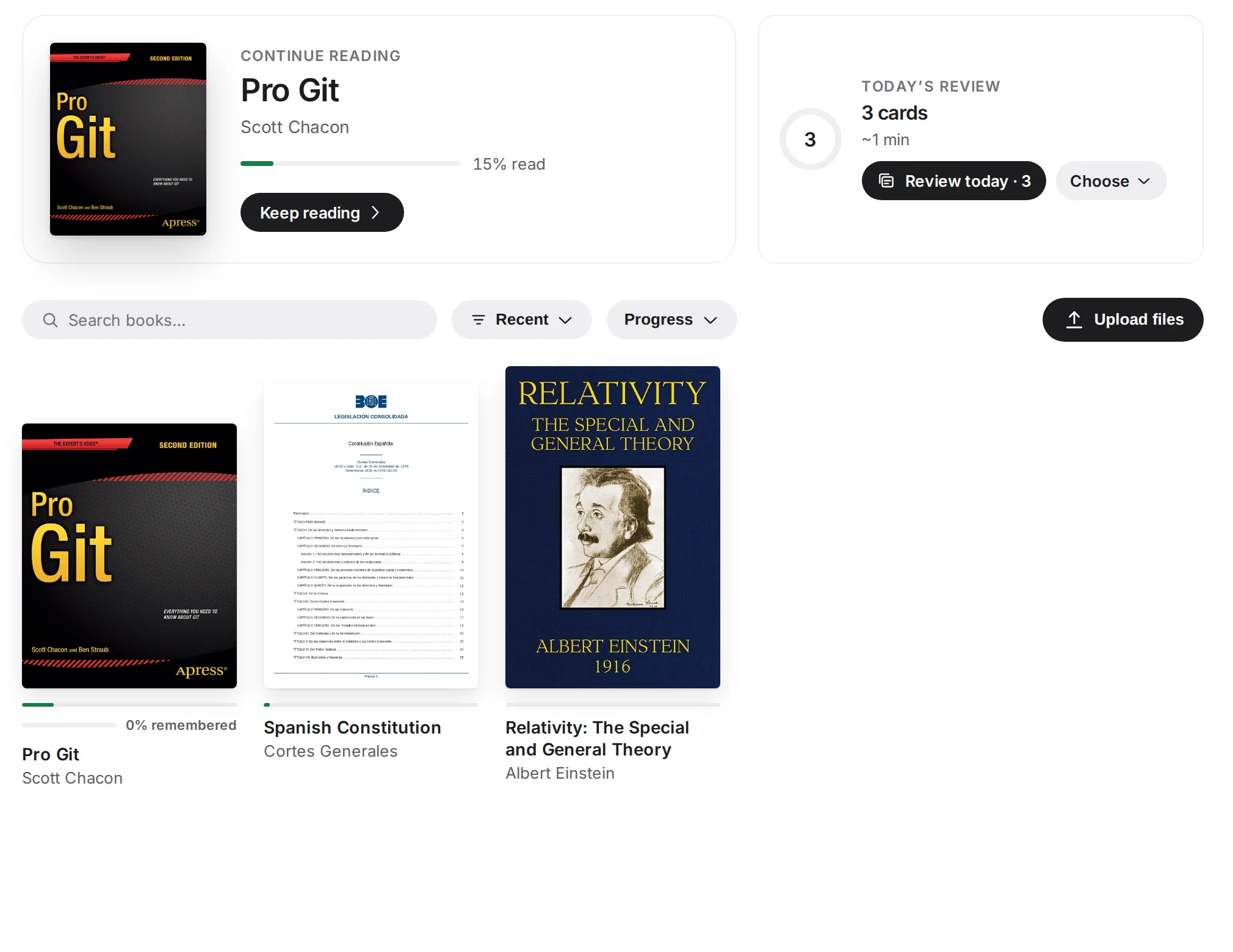
- From the library. Open the shelf and press Upload files. You can also drag the file onto the window.
- From your phone. Open the file's share menu and pick BookReader (Android). On iOS, save it to Files and open it from Upload files.
- By double-clicking (desktop Chrome, app installed):
.epuband.pdffiles open in BookReader.
Several at once?
You can select multiple files in the upload dialog. They all join the queue.
What happens next
The book appears in the library with its cover (if the file has one) and its size. When you open it:
- The table of contents comes from the book itself: in EPUB, from its table of contents; in PDF, from its bookmarks. A PDF without bookmarks reads fine but shows an empty sidebar. That is not an upload failure. Formats and limits explains it.
- The text is prepared for search and for the agent. A large book may take a few seconds the first time.
- Reading progress starts at zero and saves itself.
If something is off
| Symptom | What to check |
|---|---|
| "Unsupported format" | It is another format (MOBI, AZW3, CBZ). Only EPUB, PDF or a .bookreader dossier. |
| "This book has DRM" | The store locked it. See Get books without DRM. |
| It opens without a table of contents | The PDF has no bookmarks. You can still read it. |
| It opens, but the agent finds nothing | It is a scanned PDF with no text. |
| No cover | The EPUB does not declare one; reading works anyway. |
Next step
- Set up the agent so you can ask the book.
- Read a book to make it look the way you like.