Set up the agent
The agent is what turns the reader into something that answers. You have two paths and you can switch whenever you like: the free demo or your own key.
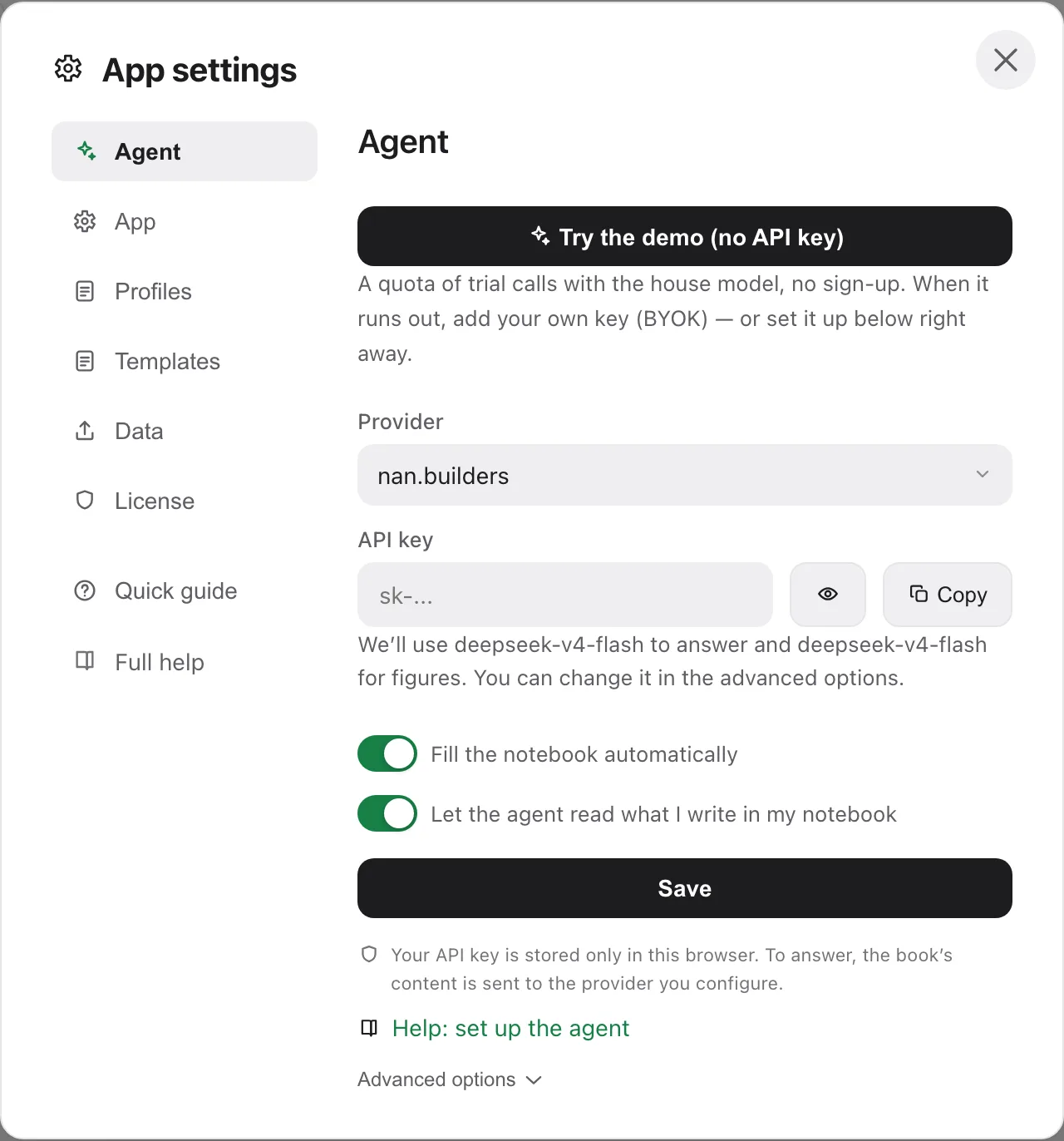
Path 1: the demo (zero setup)
The first time you ask for something, BookReader gives you a free demo: a quota of questions to try the agent with no account and no key. Nothing to switch on; if you want to see it or start it again:
- Open Settings (the gear).
- Go to Agent.
- Press Try the demo.
When it runs out, the app tells you and offers to add your key. The demo is for trying; for serious reading, use your key.
The demo goes through our gateway
To give you a demo without a key, the request goes through a service of ours that talks to the model. With your key, the browser talks straight to your provider.
Path 2: your key (BYOK)
Bring your own key: you use your account with an AI provider and pay that provider for what you use. BookReader does not charge for the agent.
- Open Settings → Agent.
- Pick a Provider. There are presets for
nan.builders, OpenAI, OpenRouter and Groq. With Custom, any OpenAI-compatible service works (a local model, a company gateway…). - Paste your API key.
- Pick the model. If your provider is not in the list, type its id or refresh the catalogue.
- Save. The key stays on this device; it is not in the backup or in sync.
Vision and dictation models
To explain a figure or review a sketch, the model must accept images. To dictate with your provider instead of the browser, configure a transcription model. Both are optional settings in the same section.
What changes with each path
| Demo | Your key | |
|---|---|---|
| Setup | None | Provider, key and model |
| Cost | Free, within a quota | Whatever your provider charges |
| Privacy | The request goes through our gateway | The browser talks straight to the provider |
| Limit | It runs out | Your account's limit |
| Model | The one the demo serves | The one you choose |
If the agent does not answer
- "API key missing" or "Invalid API key": check that you pasted the whole key and that it belongs to the selected provider.
- The demo ran out: add your key in Settings → Agent and carry on where you were.
- The model does not respond or is slow: try another model from the same provider; long reasoning models take longer.
- It does not understand a figure: you need a vision model.
Next step
- Ask the book.
- How the agent answers, if you want to know what it does with what you send it.