Turn reading into review
Reading is not remembering. BookReader turns the book into cards that come back just before you forget them, into notes you can read at a glance, and lets you take it all to Anki if that is where you live.
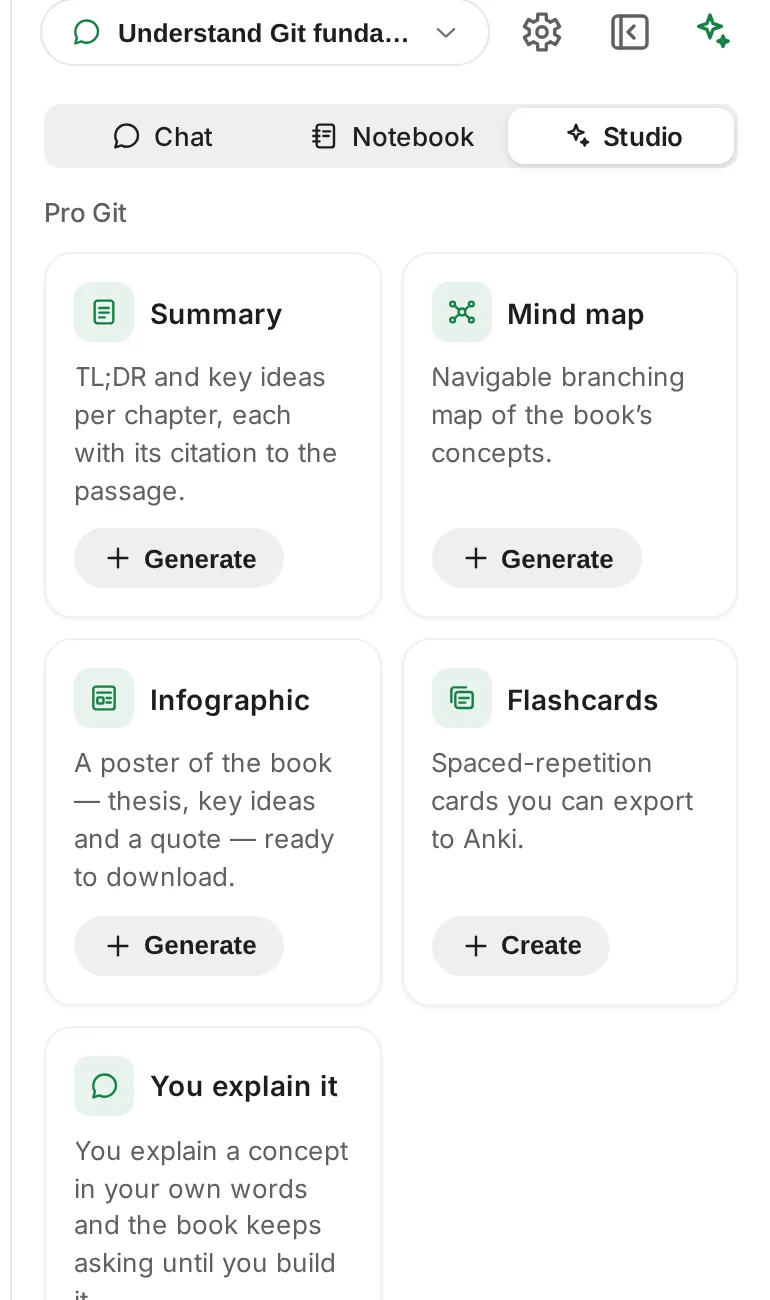
The Studio: summary, mind map and infographic
Next to the cards, the book's Studio produces three notes that stay with you: they are cached per book, so you generate once and consult forever — offline, after the first time.
- Summary: a TL;DR and key ideas per chapter, each with its citation to the passage.
- Mind map: a navigable, branching map of the book's concepts; branches expand and the map grows on itself.
- Infographic: a poster of the book —thesis, key ideas and a quote— ready to download.
All three are heavy jobs: they run in the background (you will see a progress chip; you can close the panel and keep reading) and if one fails, you retry it from the Studio itself.
The Studio also has Explain it yourself: it doesn't produce a note, it sets up an exercise in which you explain a concept and the agent questions you until you build it — Feynman mode.
Where the cards come from
- From the book's Studio. Open the book, open the agent and go to the Studio tab. Ask for Flashcards for a chapter, a selection or the whole book. The agent reads the text and proposes the cards.
- From a selection. Select a passage and send it to the notebook or create a card with its quote: the card keeps pointing at the exact page.
- From a deck you already have. In the library, Decks gathers every card deck, whether or not it is tied to a book.
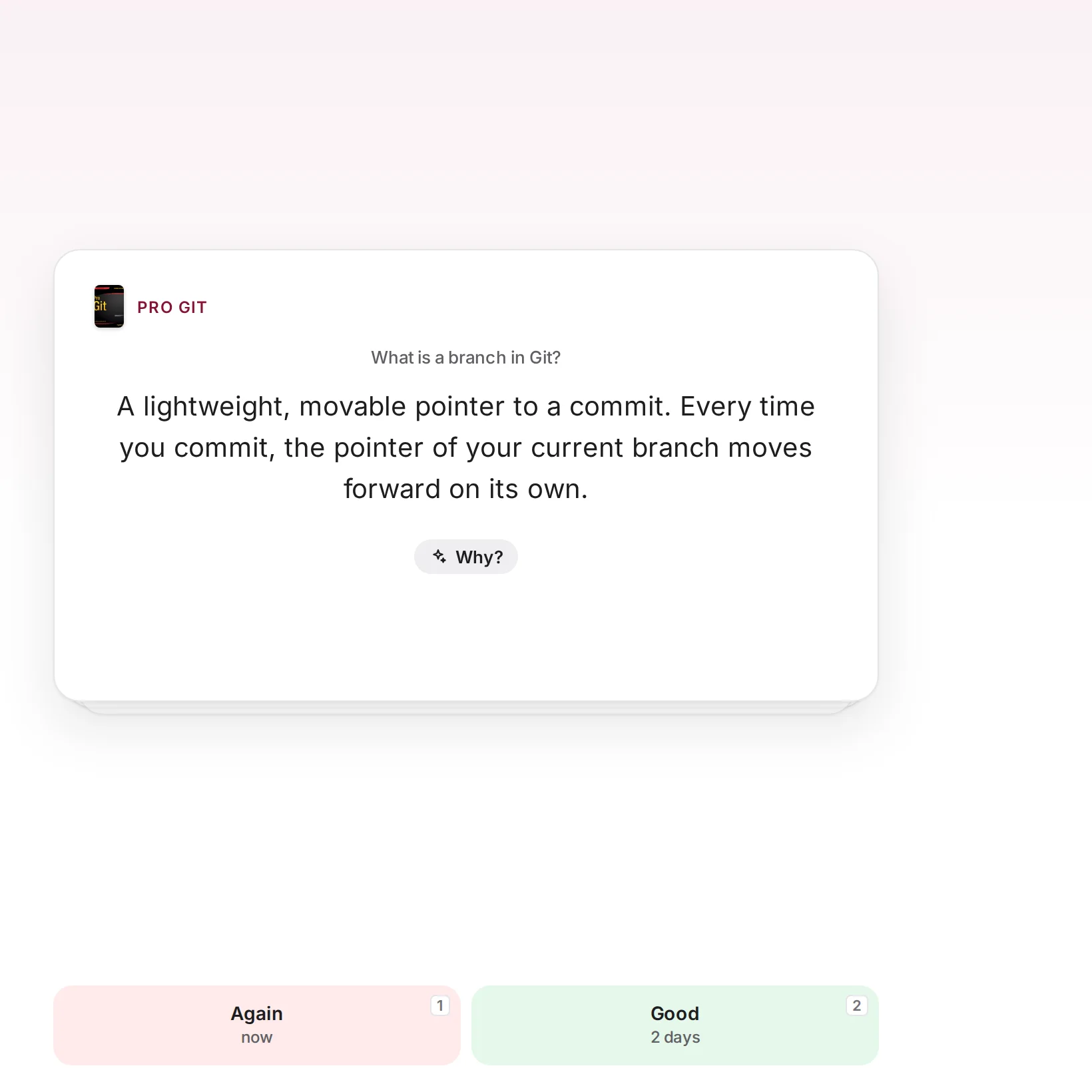
Before studying, review: you can edit the front, the back and the options. A bad card costs more than no card.
Reviewing
In Decks you see what is due today. Review uses FSRS, the same kind of algorithm as Anki:
- Each card comes back when the algorithm predicts you are about to forget it.
- You grade with two buttons (Again · Good) or four (Again · Hard · Good · Easy). Two is faster and the algorithm works just as well.
- The new-card limit stops a freshly generated deck from dropping 90 cards on you on day one. Cards you have already started always come in.
- The streak counts the days you review; the "due today" counter says what is left.
- To review one topic, pick its shelf in the library and tap Review · N in its header: only the cards from its books come in. The green dot in the shelf list tells you which ones have work today.
The percentage is not a thermometer
FSRS schedules each review when it predicts you will be right about 90 % of the time. That percentage tends to 90 % by construction; what changes as you learn is the interval, not the number. The explanation says it without decoration.
Study mode
Study opens the full-screen session. There are two doors in: from one specific deck, or Study everything, the daily queue with everything due across all your decks.
Inside, it is not all flipping a card:
- Cloze: you type the missing part of the sentence and it is checked literally.
- Multiple choice: shuffled options (answerable with keys 1–4).
- Figures: the book's diagram arrives with the answer hidden; uncover it and correct yourself.
- Sketch: for what you learn by drawing — paint the answer on the canvas and the agent reviews it with vision, rubric step by step, stroke by stroke.
- Why?: with the card flipped, one-tap questions —Give me an example · What does it rule out? · Why does it matter?— and the agent answers with the book's passage in front of it.
And what surrounds the session:
- Daily goal: you pick how many cards a day and the header ring counts them; the streak warns you when it is at risk, before it is lost.
- Undo: mis-graded a card, one Z key (or the button) brings it back.
- Chapter gate: new cards from chapters you haven't read yet stay out; no accidental spoilers.
- State is saved after every card: close mid-session and nothing is lost.
The grading buttons (two or four) and the new-card limit live in Settings → Application.
Exercises, in addition to cards
The Studio can also build a practice matrix: rows and columns to fill in by comparing concepts, with citations. It covers what a card cannot: relating ideas, not recalling a single fact. Exercises live apart from cards and do not count as spaced review.
Taking it to Anki
In the deck, Export .apkg builds an Anki deck with your cards. There is also a text export for anyone who prefers to import by hand. Cards keep their page, so in Anki they still point at the book.
What it does not do
- It does not invent cards for what is not in the text.
- It does not send your cards to a server: they stay on your device (and in your Drive, if sync is on).
- It does not replace reading. If a card does not ring a bell, go back to the passage: the link is on the card.
Next step
- Organise your library.
- Sync and back up so you do not lose your progress.